 PL
PL EN
ENYou can add any additional information when choosing a shipping option at checkout:
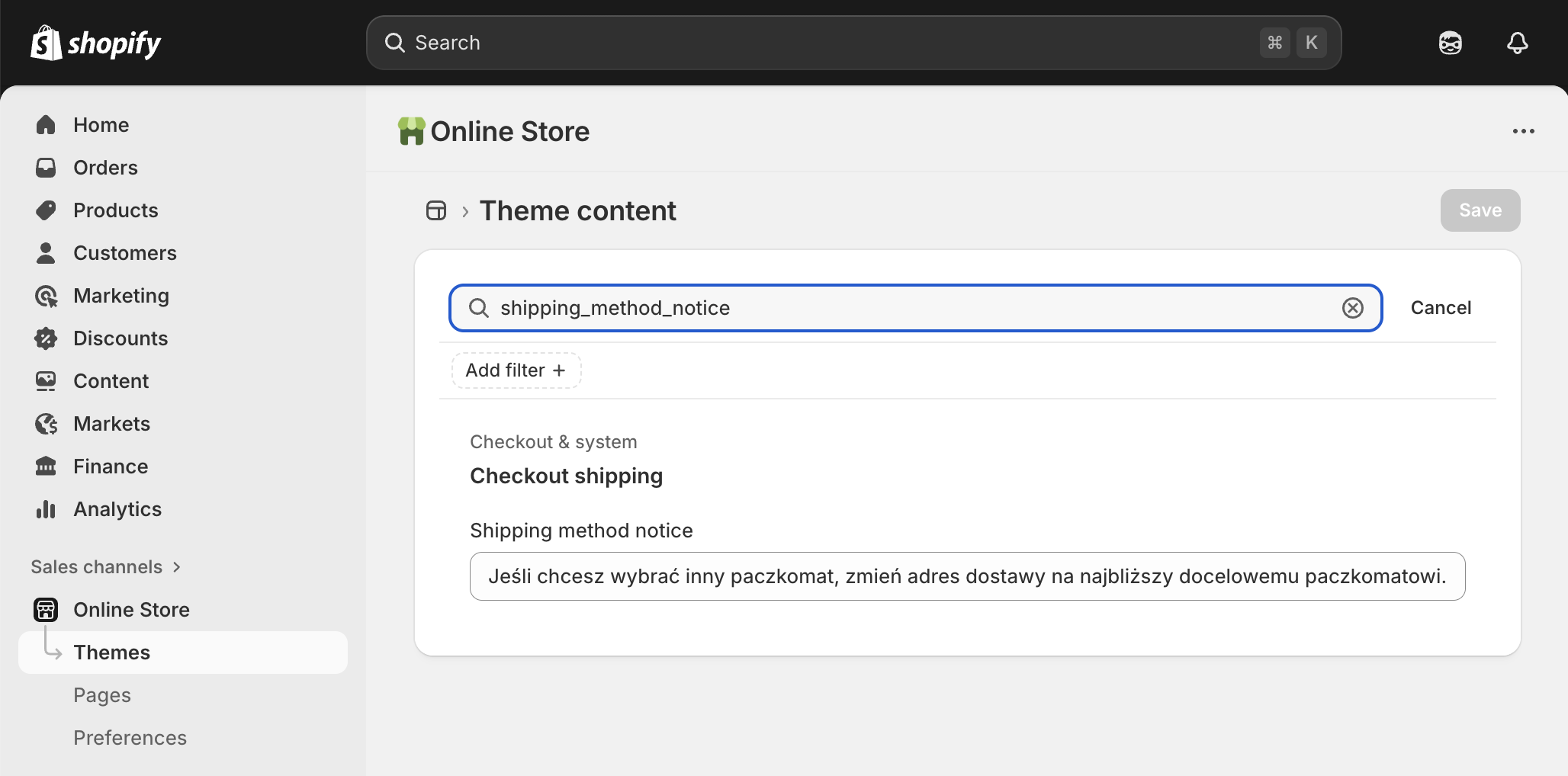
- Go to the Online Store sales channel.
- Next to the name of the live theme, click the button with three dots, and then Edit default theme content
- In the search input, enter
shipping_method_notice. - Enter your text in the Shipping method notice input, for example:
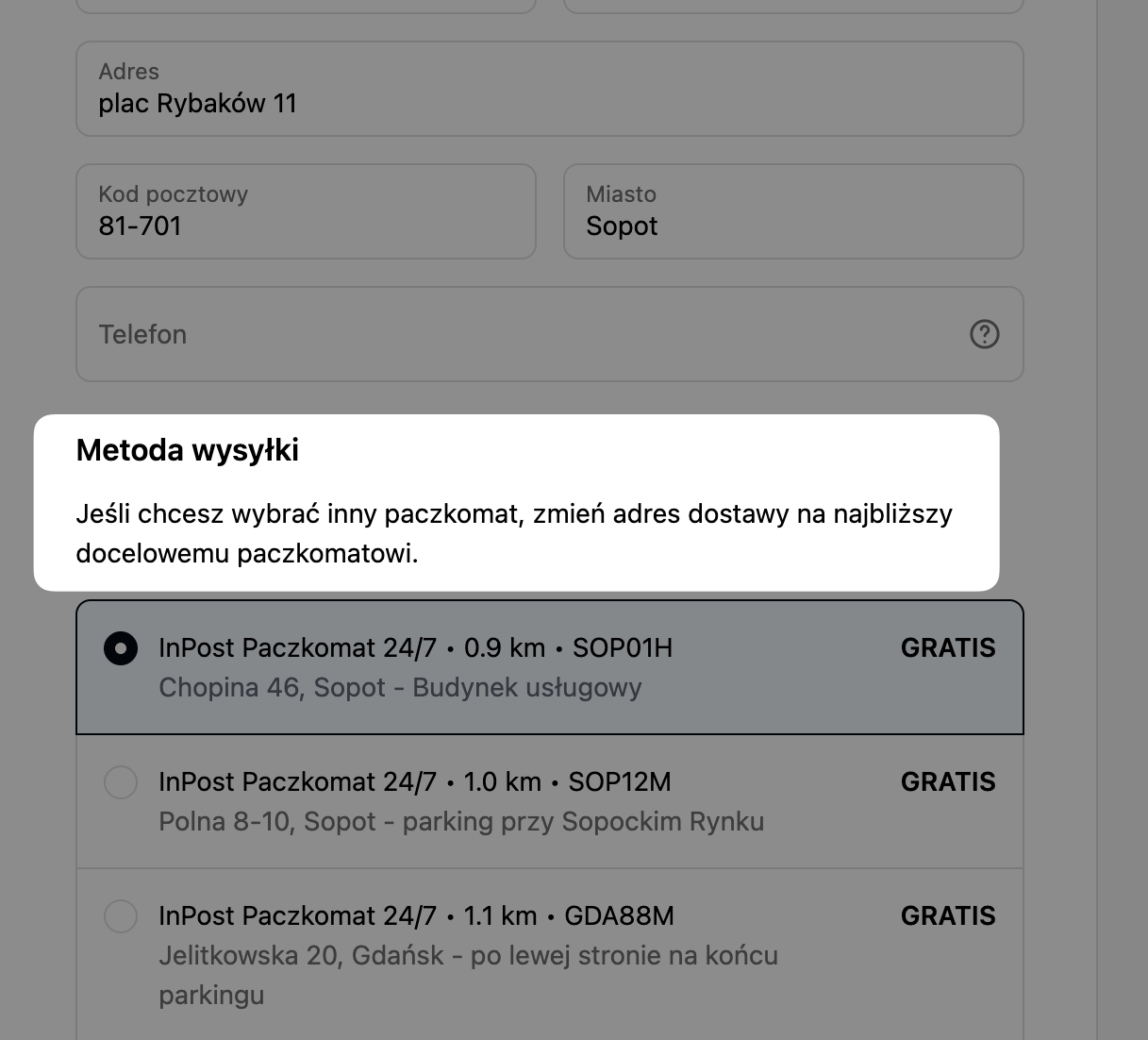
If you’d like to select a different pickup point, change the shipping address to one closest to the desired pickup point.
- Click Save.
The entered text will be displayed in checkout above the list of shipping options.